Scheduled Task Automation Software Pricing: What You Should Expect to Pay
You need to know what scheduled task automation software costs before you commit your team to a plan. Most platforms hide their real pricing behind a demo request, and per-user fees add up fast once field staff join.
This article breaks down the pricing models you will encounter, the features that push costs higher, and what Tasks.Bot charges during its beta. By the end, you will know which plan type fits your team and how to compare cost against value.
What Is Tasks.Bot? Task Automation That Runs Inside WhatsApp
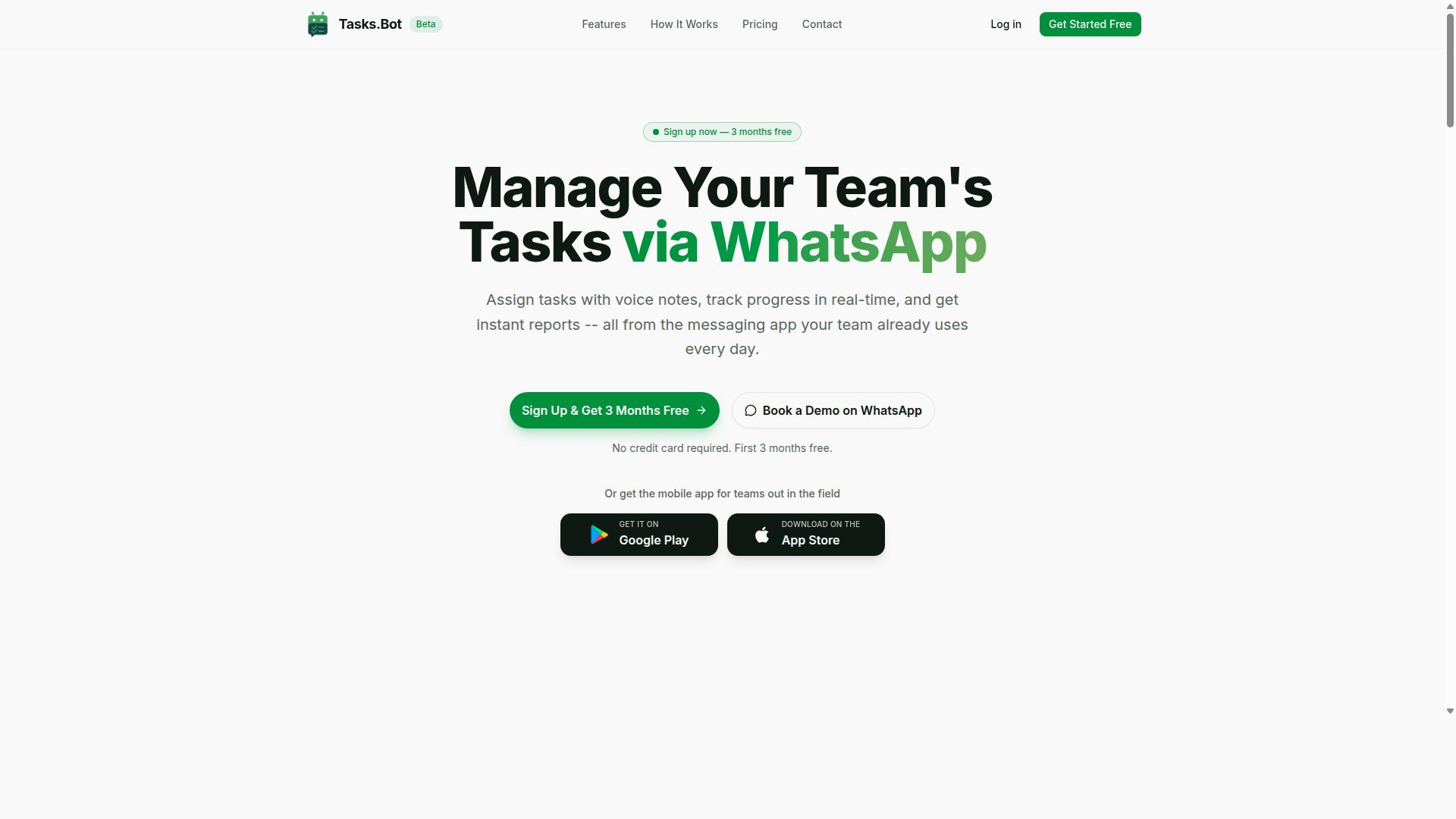
Tasks.Bot is a task management platform that operates entirely within WhatsApp, allowing teams to assign tasks, track progress, and receive reports without leaving the messaging app. There is no separate dashboard to learn and no new account for every team member to create.
The platform uses AI to understand natural language and voice notes, so a manager can describe a job the way they would in a normal chat message. Tasks.Bot also offers a mobile app for field teams, which matters when staff are working away from a desk.
The service is currently in beta and offers a free trial period, giving teams a low-risk way to see how WhatsApp-based task automation fits their existing workflow before committing to a paid plan.
Who Tasks.Bot Serves: Teams With Field Staff and WhatsApp-First Workflows
Tasks.Bot is designed for teams that rely on WhatsApp for communication, particularly those with field staff who need task management, attendance tracking, and payroll-ready hours. For these teams, WhatsApp is not a side channel. It is where the workday actually happens.
That focus shapes who gets the most value from the platform:
- Field-based teams whose staff are on the move and rarely sit in front of a computer
- WhatsApp-first organizations that already run day-to-day coordination through chat
- Managers who need to assign work, follow progress, and collect reports in one place
- Operations and admin staff who handle attendance records and payroll input
The common pain point is fragmentation. When tasks live in one app, attendance in another, and updates in a group chat, managers spend their time chasing information instead of acting on it. Tasks.Bot addresses this by keeping task assignment, progress tracking, and reporting inside WhatsApp itself.
Attendance tracking and payroll-ready hours are part of that same picture for field staff, where verifying who worked and for how long is often the hardest administrative job. Because everything runs in the messaging app the team already uses, there is no adoption barrier and no training rollout to manage.
The site mentions that hundreds of teams already use the service, which suggests the WhatsApp-first model resonates with organizations that found traditional task tools too heavy for frontline work.
How Much Does Scheduled Task Automation Software Cost? The Short Answer
Scheduled task automation software typically ranges from $5 to $50 per user per month, depending on features, user count, and billing frequency. Most vendors structure their pricing around a few standard models, so buyers can usually predict the general shape of a quote before they ever talk to a sales team.
At the entry level, many tools offer a free tier or freemium plan that covers basic task scheduling, a limited number of jobs, and minimal support. These plans work well for individuals testing a task scheduler or running a handful of simple workflows.
Mid-tier plans generally land between $10 and $30 per user per month. They add more automation runs, integrations, and better reporting. Enterprise plans move to custom quotes, since pricing depends on seat count, volume, and support needs.
- Per-user pricing: cost scales with each person who needs access
- Flat-rate pricing: one price covers the whole team, regardless of size
- Usage-based or pay-as-you-go: charges track automation runs or jobs
Annual billing often comes with a discount compared to monthly billing, and larger teams may qualify for volume discounts. Later sections break down each model, plus setup fees, renewal costs, and hidden fees that affect total cost of ownership.
What Drives the Price of Scheduled Task Automation Software
The cost of scheduled task automation software is influenced by several factors, including the pricing model, feature set, user count, and deployment requirements. Vendors also weigh scalability, integration needs, and the level of support a business requires.
Understanding these drivers helps buyers compare quotes fairly instead of focusing on a single monthly figure. The sections below break down how each factor shapes what you ultimately pay.
Per-User Pricing vs. Flat-Rate Plans
Per-user pricing charges a set fee for each team member who needs access, while flat-rate plans charge a single price regardless of user count. A per-user model, often around $10 per user per month, is common among SaaS task schedulers because it ties cost directly to adoption.
This structure is predictable and easy to budget when a team is small, but it can become expensive as headcount grows. A flat-rate plan, such as $100 per month for unlimited users, offers cost certainty and rewards larger teams. The trade-off is flexibility: a flat plan may cap features or storage even though seats are unlimited.
Two other models appear regularly:
- Usage-based pricing, where you pay per task run, API call, or automation executed, which suits spiky workloads but makes forecasting harder.
- Per-device pricing, common for job schedulers tied to servers or machines rather than people.
Per-user pricing makes sense for collaborative teams where most members log in daily. Flat-rate pricing fits organizations with many occasional users. Usage-based and per-device models suit technical environments where consumption, not seats, drives value.
Features That Typically Push Costs Higher
Advanced features such as AI-powered task creation, automation workflows, and integration with other business tools often increase the cost of scheduled task automation software. Basic tiers usually cover core scheduling, reminders, and simple recurrence rules. Premium tiers unlock the capabilities that save the most manual effort.
Common cost drivers include:
- AI and natural language processing, which let users create tasks by typing or speaking a request.
- Voice note task creation, useful for field teams and mobile workers.
- Automated reminders and approval workflows, which add routing logic and escalation rules.
- Reporting and analytics, giving managers visibility into completion rates and bottlenecks.
- Third-party integrations, connecting the scheduler to calendars, chat tools, and CRMs.
- Dedicated support, including faster response times and onboarding help.
AI-driven task assignment, for example, can cut manual coordination work, but the vendor passes on the computing and development cost. Buyers should match features to real needs. Paying for analytics no one reviews or integrations no one uses inflates the subscription without improving ROI.
Tasks.Bot Pricing: What You Actually Pay
Tasks.Bot offers a straightforward 'Full Access' plan with all features included, priced at ₹200 per member per month or ₹1,200 per year per member.
There are no confusing tiers to compare. Pricing is available in Indian Rupees and US Dollars, and billing runs per member rather than per device or per task.
Monthly and annual options cover the same plan, so the only real decision is how you prefer to pay. The annual route is where the savings sit, and the next section breaks down the numbers.
Monthly vs. Annual Plans and the 3-Month Free Trial
Tasks.Bot's monthly plan costs ₹200 per member per month, while the annual plan costs ₹1,200 per member per year, effectively giving you three months free.
That works out to roughly ₹100 per member per month on annual billing, a 50% saving compared with paying monthly. For a growing team, that gap adds up quickly.
New users also get 3 months free, with no credit card required and the option to cancel anytime. The service is currently in beta, and a refund policy is in place for added peace of mind.
Here is how the math looks for a team of 10:
- Monthly billing: 10 members x ₹200 = ₹2,000 per month
- Annual billing: 10 members x ₹1,200 = ₹12,000 per year
Over a full year, monthly billing for that same team would total ₹24,000. The annual plan cuts that figure in half, which is why it suits teams that already know they will keep using the tool.
If you are still evaluating, start with the free trial and switch to annual once your workflow needs are clear. If your headcount changes often, monthly billing keeps things flexible until your team size settles.
What's Included in Tasks.Bot's Full Access Plan
Tasks.Bot's Full Access plan includes every feature the platform offers, from voice note task creation to automated reminders and instant reports. There is no tiered pricing structure to decode, no per-user pricing to calculate, and no add-ons to purchase later. One plan covers the whole platform.
That simplicity matters when you are comparing scheduled task automation software costs. Many vendors advertise a low entry price, then charge extra for reporting, attendance tracking, or mobile access. Tasks.Bot bundles everything into a single subscription.
Here is what the plan covers:
- Task management via WhatsApp, with native WhatsApp integration
- Voice note task creation, powered by AI that understands user intent and creates tasks from messages
- Automatic task assignment
- Smart deadline reminders
- Approvals and automations
- Instant reports
- Tasks on a map
- Live day tracker
- Face-verified attendance
- Shifts, leave, and hours management
- Android and iOS apps with push notifications, voice capture, and a home screen widget
For teams with field staff, this combination carries real weight. Face-verified attendance and tasks on a map give managers visibility into work happening outside an office. A live day tracker shows progress as the day unfolds, not the next morning.
The value proposition is straightforward: no hidden fees, no separate module pricing, and no surprise renewal add-ons for features you already assumed were included. When you build a budget, you are budgeting for one line item, not five.
That also changes how total cost of ownership works. There is no implementation cost tied to unlocking extra modules, and no support cost gated behind a higher tier. The plan you start with is the plan that runs your operations, which makes affordability easier to judge against the ROI your team actually sees.
Is Tasks.Bot Worth the Price? Comparing Cost to Value
To determine if Tasks.Bot is worth the price, compare its cost against the time and resources saved by automating task management within WhatsApp. The value proposition rests on a simple idea: teams already use WhatsApp every day, so adopting Tasks.Bot adds almost no new learning curve or onboarding cost.
For a team of 10, the annual cost comes to ₹12,000, or roughly $150. That works out to about $1.25 per person per month, which is lower than many per-user task tools that charge separately for each seat. When you factor in avoided setup fees and training costs, the total cost of ownership stays predictable.
Tasks.Bot also removes the need to pay for several separate tools. It combines task management, attendance, and field tracking in one place, so you are not stacking subscriptions for a task scheduler, an attendance app, and a location tracker.
- No installation required: everything runs inside WhatsApp, so team members do not install anything or create new accounts.
- AI-powered natural language: tasks can be created through everyday messages and voice notes.
- Face-verified attendance and live GPS tracking for field staff, reducing manual record-keeping.
- Enterprise-grade encryption, with conversations and task data never shared or used for training.
- 3-month free trial with no credit card required, so teams can evaluate fit before committing.
The ROI case is strongest for small and mid-sized teams. Less time spent chasing updates and reconciling attendance means more hours on billable or productive work. The free trial period lets you test that return before any payment.
On balance, Tasks.Bot earns its price. The combination of WhatsApp-native operation, AI task creation, and verified attendance delivers a clear value proposition that few single-purpose tools match at this cost.
Who Should Use Tasks.Bot
Tasks.Bot is ideal for teams that already use WhatsApp for communication, especially those with field staff who need task management, attendance tracking, and payroll-ready hours. It serves small to medium-sized businesses that want these capabilities without forcing employees to learn an entirely new platform.
That last point matters more than it might seem. Software adoption is one of the biggest hidden costs in scheduled task automation software pricing, because a tool nobody uses delivers no return. Tasks.Bot sidesteps that friction by working inside a messaging app your team already opens every day.
The platform suits a wide range of field-based operations, including:
- Field service teams dispatching and closing out jobs
- Construction crews coordinating work across sites
- Maintenance teams handling recurring inspections and repairs
- Any organization with remote workers spread across locations
Tasks.Bot is available globally as a SaaS product, so location does not limit access. The site notes that hundreds of teams already use the service.
Typical use cases include assigning tasks to field technicians, tracking attendance, and generating reports. For a business weighing subscription costs, this narrow focus keeps the value proposition clear: one tool, familiar interface, measurable hours.
Final Verdict: What to Expect to Pay for Scheduled Task Automation
When budgeting for scheduled task automation software, expect to pay anywhere from $5 to $50 per user per month, with Tasks.Bot offering a competitive flat rate of ₹200 per member per month. That range reflects the full spread of the market, from stripped-down free tiers to enterprise contracts with custom quotes.
Most buyers land in one of three broad categories:
- Free tier or freemium: good for testing basic scheduling needs, but usually capped on tasks, users, or run history.
- Mid-range professional and business plans: the sweet spot for growing teams that need more runs, integrations, and support.
- Enterprise plans: custom quotes built around compliance, scale, and dedicated onboarding.
Watch the extras that inflate total cost of ownership: setup fees, onboarding costs, support tiers, and renewal increases. Flat-rate pricing sidesteps much of that guesswork because the number stays predictable as your team grows.
Tasks.Bot keeps things simple with a single flat rate of ₹200 per member per month. The service is currently in beta, and a refund policy backs the purchase, so you can evaluate the value proposition with limited risk.
To talk through fit and pricing, book a demo on WhatsApp. You can also reach the team at +91 97143 42522 or [email protected].
Frequently Asked Questions
How much does Tasks.Bot cost?
Tasks.Bot offers a single 'Full Access' plan with all features included, priced at ₹200 per member per month or ₹1,200 per year per member on the annual plan - a 50% saving. Pricing is available in both Indian Rupees and US Dollars. Because it's one all-inclusive plan, you don't have to worry about paying extra to unlock specific features.
Why is Tasks.Bot priced per member rather than per team?
Tasks.Bot charges per member because the platform is built around each person's tasks, attendance, and activity - from voice note task creation to face-verified attendance and live day tracking. Per-member pricing means you only pay for the people actually using the service, and you can scale up or down as your team changes. It also keeps costs predictable as your team grows.
What do I actually get for the price?
Every Tasks.Bot subscription is a 'Full Access' plan, so all features are included: voice note task creation, automatic task assignment, smart deadline reminders, approvals and automations, instant reports, tasks on a map, and live day tracking. Team members use it entirely within WhatsApp, so there's nothing new for them to install or sign up for. A mobile app is also available for field teams.
Are there any hidden costs or add-ons I should budget for?
Tasks.Bot's published pricing is a straightforward per-member rate with all features included, so there are no feature tiers to upgrade into. That said, since the service is currently in beta, it's worth confirming the latest plan details directly with the team before you commit. You can reach them at [email protected] or +91 97143 42522, or book a demo on WhatsApp.
How does Tasks.Bot's pricing compare to other task automation tools?
Pricing across task automation software varies widely depending on features, seat counts, and billing terms, so it's best to compare total cost for your specific team size rather than headline rates. Tasks.Bot keeps things simple with one Full Access plan and per-member pricing in ₹ or $, which makes it easy to estimate your monthly or annual spend. If you're evaluating alternatives, ask each vendor what's included at the base price versus what costs extra.
Is there a free trial or refund if Tasks.Bot isn't right for my team?
Tasks.Bot's website mentions a refund policy in its footer, so it's worth reviewing those terms before subscribing. The best way to see whether it fits your workflow is to book a demo on WhatsApp and try it with your team. For specific questions about trials, billing, or refunds, contact [email protected] or +91 97143 42522.
Recommended Resources: